Eufy Security Review 2026
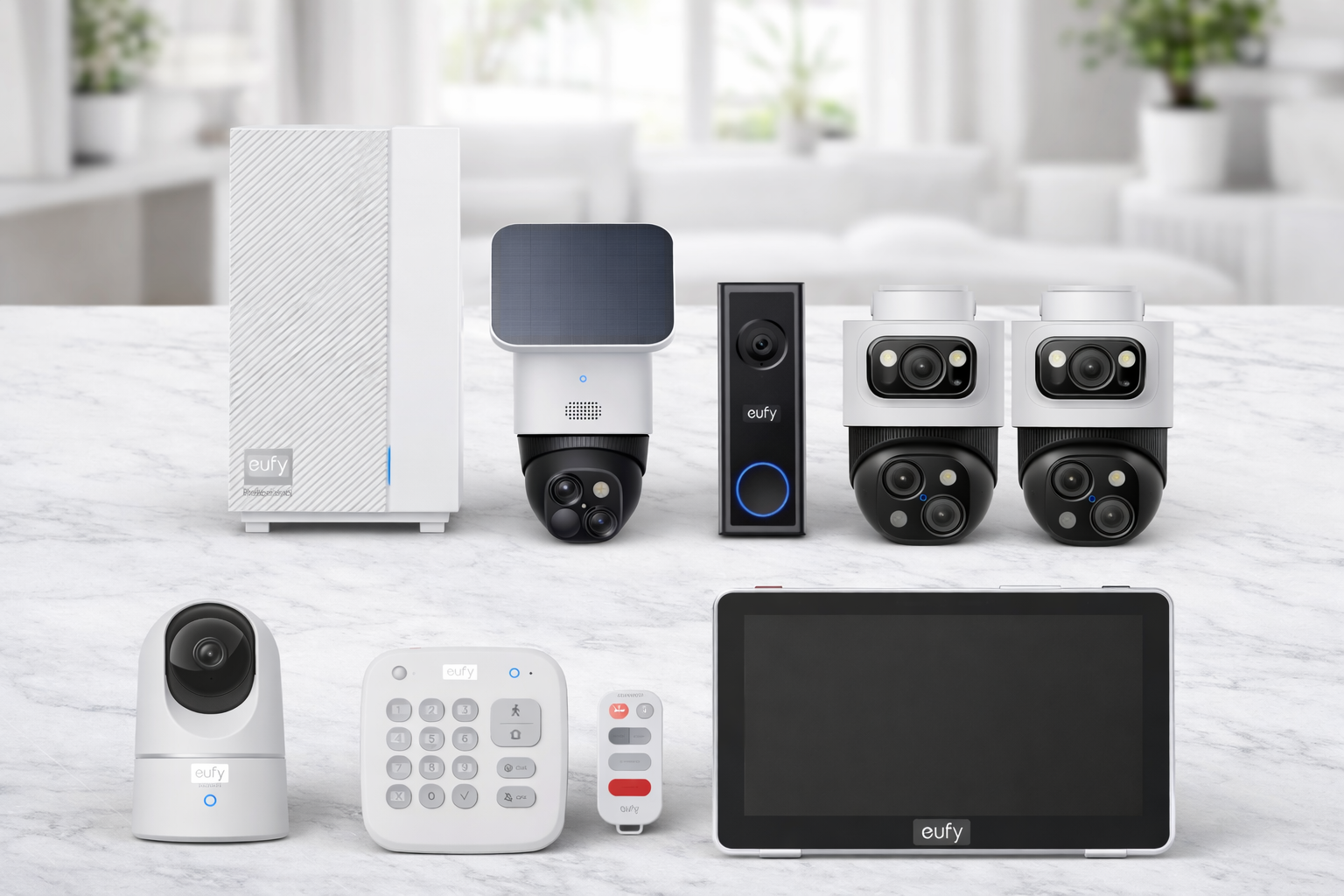
Start with the recording you need. SoloCam S340 records events; adding HomeBase 3 does not turn it into a 24/7 camera. Indoor Cam S350 supports continuous recording with suitable storage. Video Doorbell E340 has its own built-in storage. If you also want an alarm service, compare alarm options alongside your Eufy cameras. Check the compatible alarm hardware, app access and monitoring plan separately.
U.S. buying guide · Selected model and service documents checked September 23, 2026. Research-based; no hands-on camera or outage tests.
The Big Picture
Eufy offers local-storage camera options as well as alarm products. ExpertSecure supports professional monitoring with a paid plan and compatible devices. Older alarm kits and separate camera Protection Plans have different compatibility requirements. Choose the product family first, then check recording, monitoring, backup and account requirements for the exact configuration.
Who It's For
- Privacy-focused buyers who want footage stored locally on their own hardware
- Camera-primary setups where a full alarm system isn't needed
- Buyers who will check the recording mode, storage and optional fees for each model
- Tech-savvy users comfortable configuring a local storage hub
Key Specs
Check the exact model, included storage and optional service before ordering
Shop eufy on Amazon →Page updated: September 23, 2026 (model, storage and buying guidance; historical research dates remain below) · How we evaluate · Review method
 Written by Taylor Smith · U.S. buying guide · Editorial standards · Methodology
Research basis
This is a research-based review. Direct setup, app, camera and outage observations are identified separately where documented. Numerical ratings are under review; use the specific product facts, source dates and trade-offs when comparing your options.
How we evaluate → · Research and testing status →Specs at a glance
The Bottom Line
Eufy can be considered for local-storage cameras or a supported monitored alarm configuration. ExpertSecure, older alarm kits and standalone cameras are not interchangeable; check the hardware and plan required for the features you need.
Affiliate disclosure: SecurityCompassHQ may earn commissions from some links on this page, including as an Amazon Associate when you purchase through Amazon links. Commercial compensation is not evidence of product quality or a review criterion. See full disclosure →
How we evaluate
Compare published product information, written terms and source dates. Numerical ratings are under review. Read our review method →
All affiliate relationships are disclosed transparently. Read our disclosure →
Choose the recording setup before you buy
These are three different jobs: a doorstep event clip, a solar-powered outdoor event camera and a continuous indoor timeline. A larger storage drive does not change a camera’s supported recording mode.
Selected configurations · manufacturer documentation checked September 23, 2026
T8214
Before ordering: confirm the chime and mounting/power setup. Wired use still requires the battery. HomeBase 3 compatibility also has a firmware requirement.
E340 specifications and conditions
Check price on Amazon
T8170
Before ordering: check the proposed solar-panel position and event coverage. Choose another model if a continuous timeline is essential.
SoloCam S340 specifications and FAQ
Check price on Amazon
T8416
Before ordering: add storage before expecting saved footage. Single View supports up to 4K; AI Tracking or Dual View limits recording to 2K. Confirm the drive requirements if using HomeBase.
Indoor Cam S350 specification sheet · S350 recording settings
Check price on Amazon
Recording, playback and alarm response are separate
Stored at home does not mean reachable from anywhere. Before relying on a setup during an outage, confirm whether it can save a new event, play it back on site and let you retrieve it remotely. Check power to the camera, hub and router separately. The model table establishes documented storage and recording options, not a tested offline result.
eufy’s privacy documentation says viewing uses its software and your account; optional cloud storage and some notification thumbnails use cloud services. If you need an exportable recording, check the supported download method as well as the retention period. Read eufy’s access and privacy details.
HomeBase 3 and HomeBase Professional S1 are different products. A compatible camera-storage setup is not proof that the same camera participates in a monitoring plan. Use the separate service categories below and confirm the exact device list before subscribing.
Compare a complete purchase basket
There is no useful single “eufy starter-kit price” for these different setups. Write down the camera or alarm-kit model and quantity, included hub, required card or drive, power/mounting accessories and any optional service. Keep the same recording and alarm requirements when comparing with another brand.
- Hardware: does the listed bundle include the storage and accessories you need?
- Recording: do you need event clips or a continuous timeline, and how will you retrieve them?
- Service: is the charge for cloud backup, extra camera features or a compatible alarm-monitoring plan?
- Terms: check the seller’s return window and any separate subscription or financing agreement.
This comparison is based on manufacturer documents, not our own camera tests. Prices and compatibility can change. Corrections policy →
Pros & cons
Pros
- Local recording without a recording subscription on supported configurations
- Compatible local storage; optional cloud features remain separate
- 2K–4K camera resolution
- Check optional cloud and notification-thumbnail settings
Cons
- HomeBase requirements vary by camera model
- Monitoring compatibility differs between ExpertSecure and older product families
Ideal for
- Privacy-focused buyers who want footage stored locally on their own hardware
- Camera-primary setups where a full alarm system isn't needed
- Buyers who will check the recording mode, storage and optional fees for each model
- Tech-savvy users comfortable configuring a local storage hub
Compare the model and included accessories, not a brand-wide starting price
Browse Eufy on Amazon →Why this might not be right for you
Before you buy, consider whether Eufy Security is the right fit:
- Buyers needing professional monitoring should compare a compatible ExpertSecure configuration and its paid plan; do not assume an older alarm kit or every camera is supported.
- Buyers requiring outage resilience should verify the selected system's cellular and power-backup hardware, plan and operating limits.
- Check the connectivity required for remote access on each selected device, including what remains available during an internet outage.
We include this section on every review because honest evaluation means telling you when a system isn't the best fit — not just when it is. Our editorial standards →
Not sure Eufy Security is right for you?
Compare Eufy with Arlo and Wyze — equipment, storage options, and ongoing costs.
Camera plans and alarm monitoring
Compatible local camera recording
No recording subscription required
Storage hardware and features depend on the camera and configuration.
- Some models store on-camera; others use compatible HomeBase
- Optional cloud, AI or monitoring services may cost extra
Protection Basic / Plus
$4.99 / $9.99 per month
Separate compatible security-service plans, not per-camera cloud-backup prices.
- Basic: user-requested emergency dispatch
- Plus: automatic monitoring for compatible devices; setup and practice-period conditions apply
ExpertSecure Expert
$29.99/month
A separate product-family service.
- Requires a compatible ExpertSecure configuration
- Do not apply these features to every older camera or alarm kit
Protection annual prices are $49.99 and $99.99. Confirm compatibility and complete the required monitoring setup. Optional cloud-backup pricing must be checked separately; the Protection prices above are not a quote for cloud recording.
Plan facts rechecked September 23, 2026: eufy Protection Plans · eufy ExpertSecure · eufy privacy details.
Key facts
- Parent company
- Anker Innovations
- Storage
- On-camera or HomeBase storage; model and capacity vary
- Cellular backup
- Available in supported ExpertSecure configurations; check equipment and plan
- Smart home
- Alexa, Google Home, HomeKit (select models)
- Security note
- 2022 disclosure; review the manufacturer response
Frequently asked questions
Does Eufy need the HomeBase?
Not for every model. Video Doorbell E340 and SoloCam S340 include on-camera storage. Indoor Cam S350 can use a microSD card or HomeBase 3. A hub may add storage or other supported features, but it does not give SoloCam S340 continuous recording. Check the exact model and desired function.
Was there a security issue with Eufy?
eufy reported Web Portal security-protocol changes in December 2022 and WebRTC changes in January 2023 after the 2022 disclosures. Those manufacturer-reported changes are not an independent security audit of every current camera. Check the selected model, firmware, encryption options and cloud settings.
How much does Eufy cost per month?
Compatible local camera recording can work without a recording subscription. Optional cloud or AI services and alarm monitoring are separate. Protection Basic and Plus are security-service plans at $4.99 and $9.99/month, not per-camera cloud-backup prices; ExpertSecure has different hardware and plan requirements. Compare the exact configuration.
Does Eufy work without Wi-Fi during an internet outage?
There is no single answer for the whole range. Losing home internet, losing the camera-to-storage connection and losing power are different failures. Verify whether your exact setup can record, play back locally and provide remote access in each case. ExpertSecure backup features apply only to its supported hardware and service. We have not published direct outage tests.
How does Eufy's app compare to Ring's?
Compare the app functions available for the exact systems you are considering. Eufy supports camera products and ExpertSecure alarm configurations; Ring also offers alarm and camera products. Check which devices, recording functions, monitoring controls and backup features are supported together. We have not published a direct app-performance comparison.
Does Eufy work with Alexa and Google Home?
Support depends on the model and function. eufy lists Alexa and Google Assistant support for Video Doorbell E340 and Indoor Cam S350; the E340 does not support Apple HomeKit. Confirm the integration for the exact camera rather than buying from a brand-wide compatibility label.
How does Eufy compare to SimpliSafe?
Both brands offer alarm products, so the choice should not be based on a claim that Eufy is camera-only. For Eufy professional monitoring, examine a compatible ExpertSecure system and its paid plan. Older Eufy alarm kits and separate camera Protection Plans have different compatibility rules. Compare equivalent equipment, service requirements and written terms.
Ready to buy? Check current prices
The three Eufy cameras covered above. Prices change often, so confirm the exact model and what is in the box before you order.
Eufy Video Doorbell E340
Doorstep event clips with 8 GB of built-in storage. Works without HomeBase.
Check price on AmazonEufy SoloCam S340
Outdoor event recording with 8 GB on-camera storage. Not a 24/7 camera, even with HomeBase 3.
Check price on AmazonEufy Indoor Cam S350
Indoor 24/7 and clip recording with a microSD card or HomeBase 3 (card not included).
Check price on AmazonAmazon affiliate links. Check the selected model, seller, current price and included accessories before buying.
Research notes & testing status
Capability correction · September 9, 2026: We corrected statements about alarm hardware and professional monitoring. Compare the exact product family, compatible devices and required service. This correction does not refresh other prices or report hands-on testing. Sources: Eufy ExpertSecure · Eufy monitoring plan · Eufy product-family compatibility.
This section separates verified product claims from hands-on findings. Where we have not yet completed direct testing, we label the item as pending hands-on verification rather than presenting it as a firsthand observation. Learn about our testing process →
Privacy & data handling
Storage model
Storage is model-specific. Some cameras record on-camera; others use compatible HomeBase storage. Optional cloud recording and notification thumbnails can send content to cloud services. Local storage alone does not establish the privacy or security of the complete setup.
Account dependence
An account and eufy software are needed for setup and viewing. Local storage does not establish what survives an outage: check camera power, its connection to storage, recording settings and the route used for playback. We have not verified offline behavior for every configuration.
Ecosystem lock-in
Before adding equipment, check the exact camera, hub and smart-home platform together. HomeBase storage compatibility does not by itself establish professional-monitoring eligibility. Review the separate terms of any paid service or equipment financing.
Privacy strengths
- Optional cloud storage and notification thumbnails can send video or previews to the cloud; review settings for the exact model
- SoloCam S340 includes on-camera storage; HomeBase 3 is an optional compatible storage route
- eufy describes default encryption and a separate Advanced Encryption option; verify support and settings for the selected device and feature
- Supported local recording can avoid a recording subscription; storage, recording modes and extra services still differ
Points to know
- The 2022 disclosure and eufy’s reported response remain relevant context; this review has not independently audited current device security
- Cloud backup option, if enabled, uploads footage to Eufy servers
- Eufy is owned by Anker Innovations — a large consumer electronics company with data practices governed by its own privacy policy
All privacy information on this page reflects publicly available brand documentation. We do not make independent security or technical judgments beyond what the brand discloses.
How we evaluated this review
How to read the evidence
- Read the source and verification date attached to each product, price or contract claim.
- A targeted correction does not refresh every older price or specification.
- Direct testing is separate from manufacturer information; read the pending research notes above.
Primary evaluation method: Desk research. Direct observations are identified separately where documented. Research and testing status →
Pricing verified
Protection and ExpertSecure plan documents checked September 23, 2026. Hardware prices vary by model, seller and bundle; confirm the complete basket before ordering.
Last reviewed
September 23, 2026 — selected model and buying guidance
Review method
Compare Eufy Security with
See how Eufy Security compares to alternatives
Specs, storage model, and real cost — side by side, no sponsored rankings.
Compare cameras → Estimate my cost →Considering the 5-Piece Home Alarm Kit?
This is a sensor alarm kit. eufy lists a HomeBase 2, keypad, motion sensor and two entry sensors in the box. Cameras are not included in that list. Start by counting the doors and windows you want to cover; if you also want video, check the exact camera and hub compatibility before adding equipment.
Confirm the monitoring service, backup behavior and compatible devices for your selected setup. Do not assume that features described for another eufy system apply to this kit.
Kit contents checked September 16, 2026 against eufy's product listing. Research-based information; we have not completed hands-on testing of this kit. Check the retailer's current package, availability and price.
View the eufy 5-Piece Alarm Kit on Amazon →Affiliate link — we may earn a commission. See disclosure.
Share this review
What to do next
Compare camera alternatives
Compare Eufy Security with Arlo and Wyze — equipment, storage options, and ongoing costs.
Compare cameras →Best local-storage cameras 2026
Looking for footage you control without a monthly cloud fee? See our full guide to local-storage camera options.
See the guide →Eufy Security pricing breakdown
Camera costs and subscription tiers — see what you'll actually pay year one and beyond.
See full pricing →Related reading: Eufy pricing & costs · Best local-storage cameras · Eufy vs Arlo comparison · Eufy vs Wyze comparison · DIY vs professional installation · Head-to-head comparisons · All brand reviews
Editorial Content
Company & Trust
Not sure what you need?
Answer a few quick questions and get a personalised security plan for your home or business.
Build my free security plan →No email required to start